Visa and Immigration Guide (6/23)
Below is a step-by-step guide on how to obtain your official copies of your apostilled documents online when requiring a copy. [Ex: Moving from public schools (EPIK) to Private Schools (Academies etc.)].
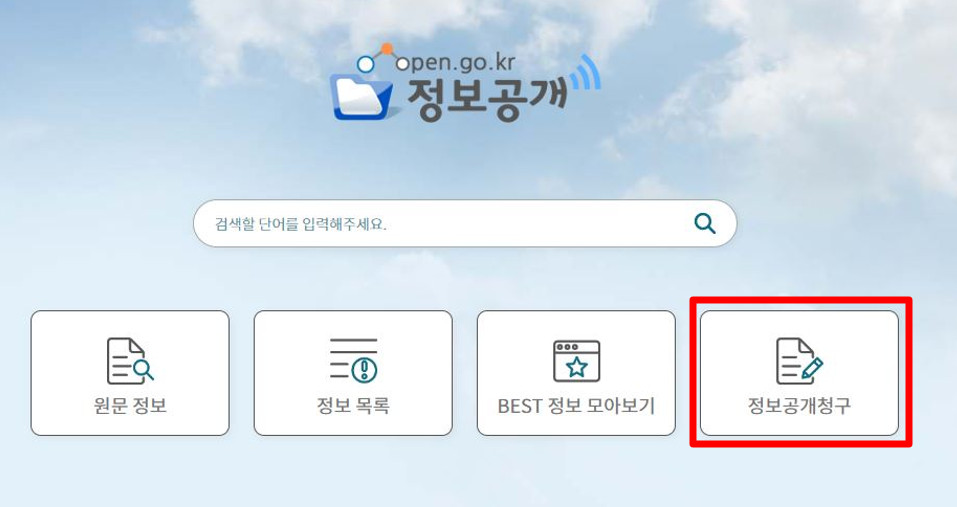
Go to https://www.open.go.kr/
- Click “정보공개청구”(Information Disclosure Request)
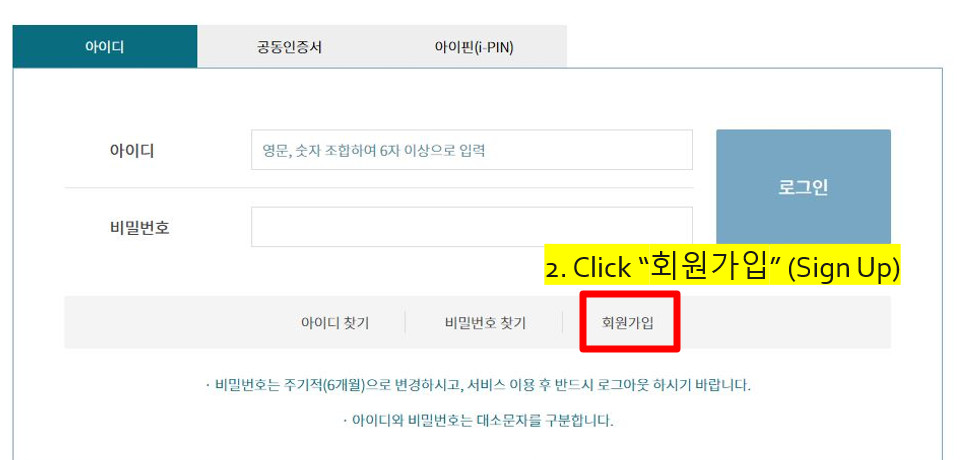
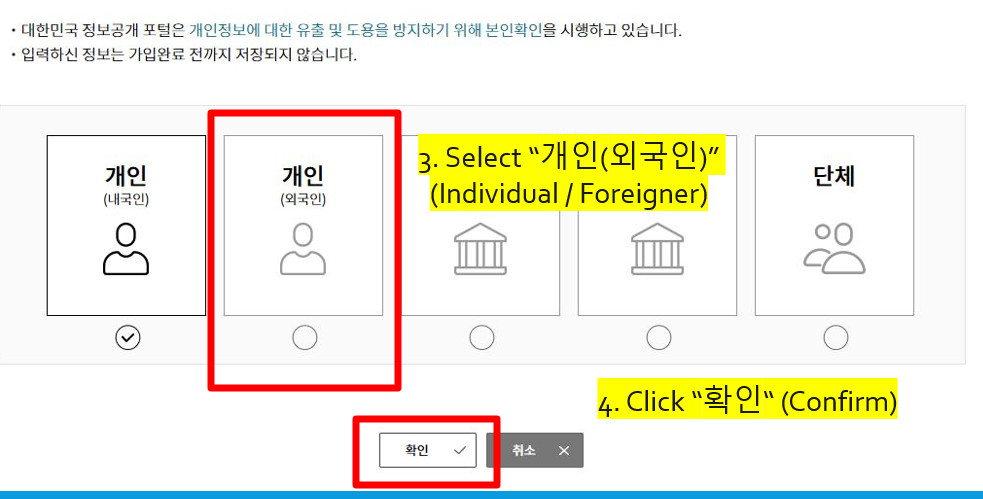
3. Select “개인(외국인)” (Individual / Foreigner)
4. Click “확인“ (Confirm)
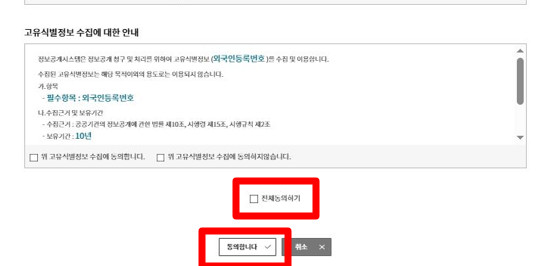
5. Select “전체동의하기” (Agree to All)
6. Click “동의합니다“ (I Agree)
7. Username Availability Check
- 6-12 English letters and/or numbers only
- Use Year/Month/Day Formatting
8. Click to find your address
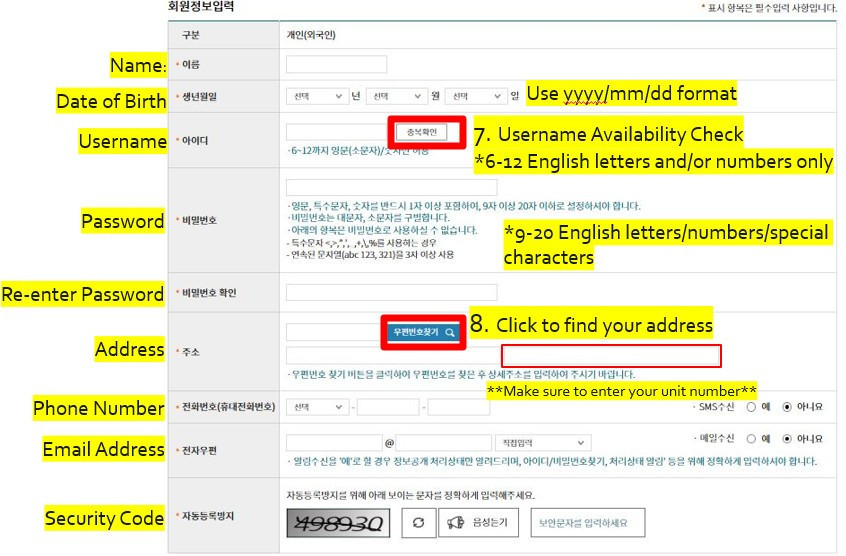
9. Enter your address in Korean and press “ 검색”(Search)
10. Click “가입“ (Join)
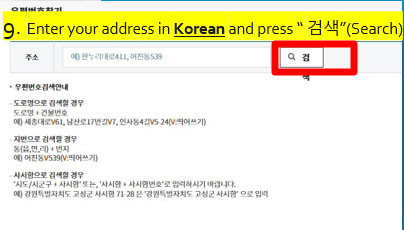

11. Next Login to your account
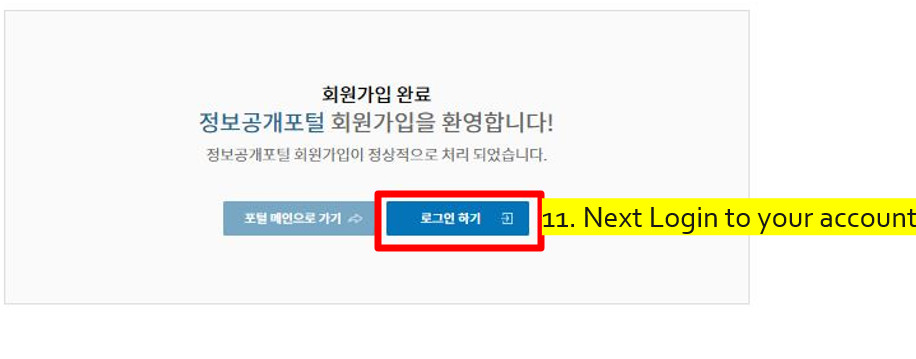
12. Enter your ARC Number
13. Select “예”(yes) to receive emails and notifications
14. Click “사용” (use) to update your information
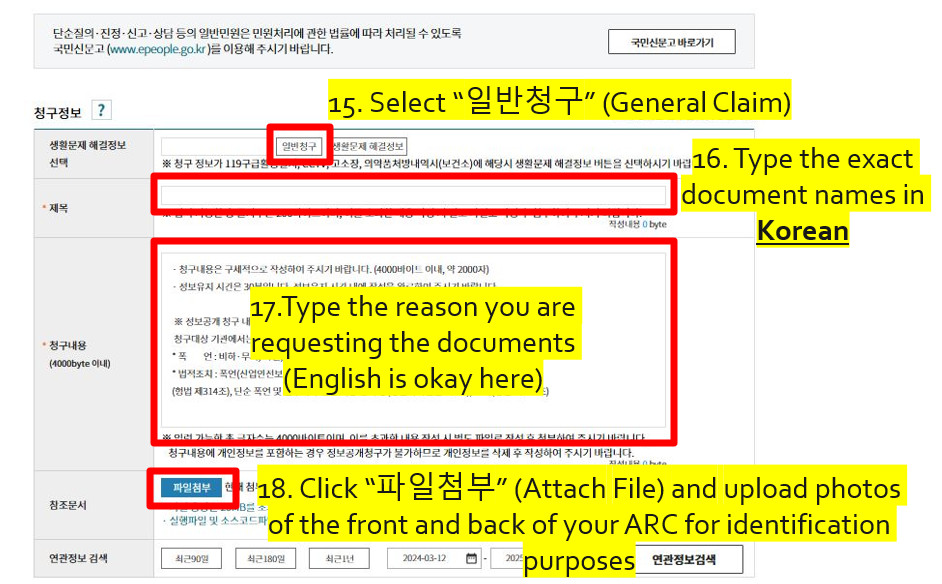
15. Select “일반청구” (General Claim)
16. Type the exact document names in Korean:
(You can copy and paste it from this document) |
17. Type the reason you are requesting the documents (English is okay here)
18. Click “파일첨부” (Attach File) and upload photos of the front and back of your ARC for identification purposes
- Select “기관찾기” (Find Institution)
|
***VERY IMPORTANT*** You must find the immigration office that you used to process your E-2 visa when you ORIGINALLY came to Korea. DO NOT USE the one that is currently closest to you unless it is the same one you originally used.
EX: You currently live in Seoul, but your first school was in Suwon. You must search and select Suwon Immigration Office.
If you are coming from a public school (EPIK), then you need to select the Department of Education that you worked for instead of the immigration office. |
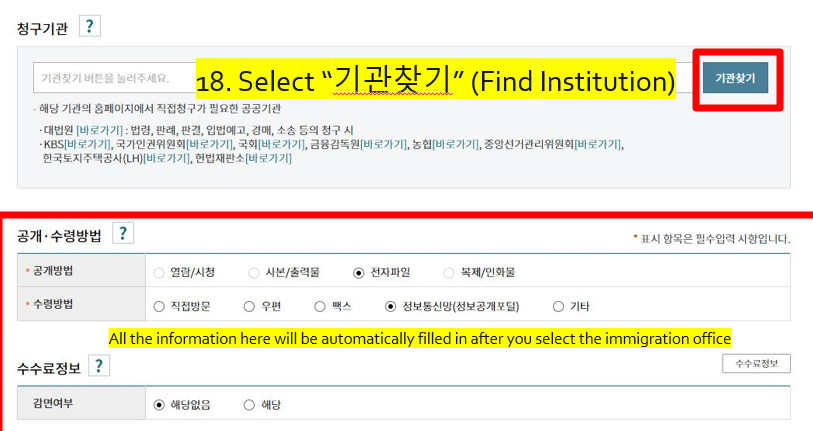
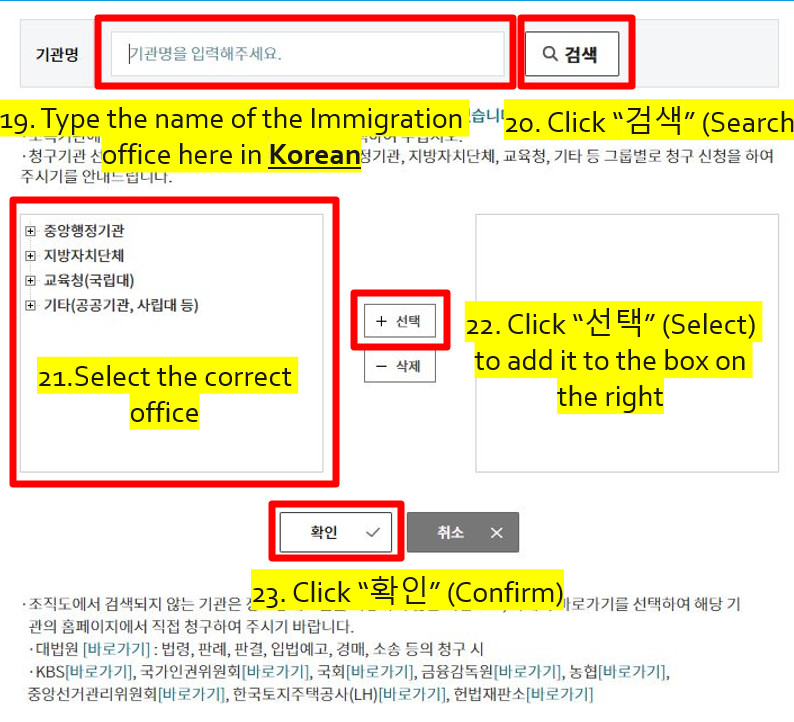
19. Type the name of the Immigration office here in Korean
20. Click “검색” (Search)
21. Select the correct office
22. Click “선택” (Select) to add it to the box on the right
23. Click “확인” (Confirm)
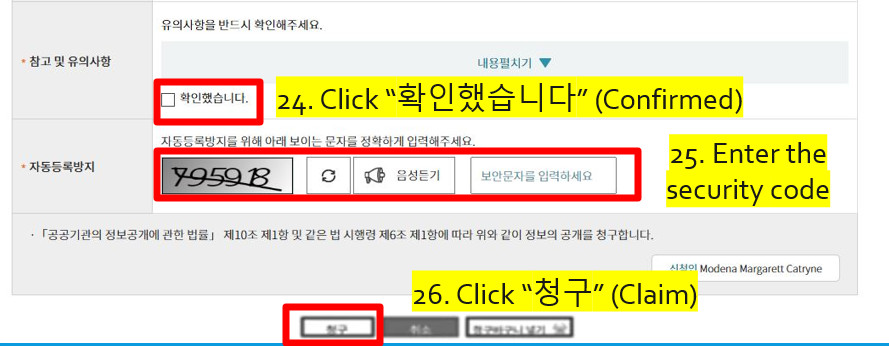
24. Click “확인했습니다” (Confirmed)
25. Enter the security code
26. Click “청구” (Claim)
You will receive email and/or KakaoTalk message about your documents once the request is approved or if they need you to submit any additional information.
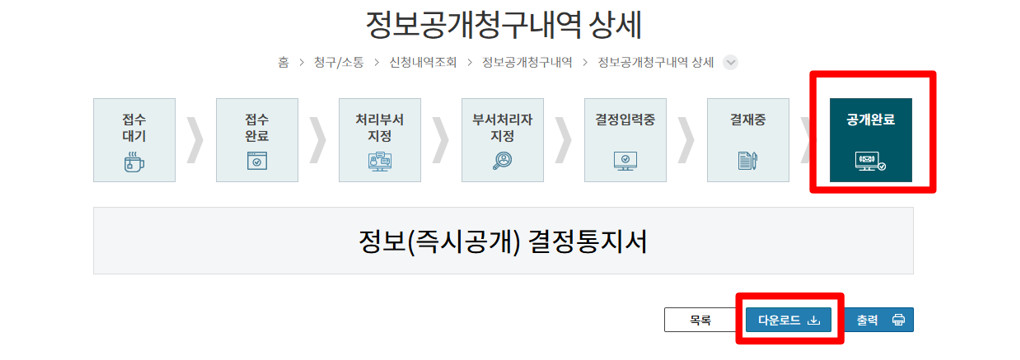
Once your status reaches the last box “공개완료” (Completed) you can download your documents!
Click “다운로드”(Download) to download the file containing your documents
TAGS
Share
Embark Recruiting Blogs
Embark Recruiting
As former native English teachers in Korea, we know exactly what it’s like to navigate teaching abroad. That’s why we’re committed to increasing transparency in schools and improving Korea’s ESL teaching industry. At Embark Recruiting, we provide full support to help you succeed. Our blogs offer guidance, tips, and insider knowledge for teaching in Korea.